
Clearer Button Labels for Additional Forms
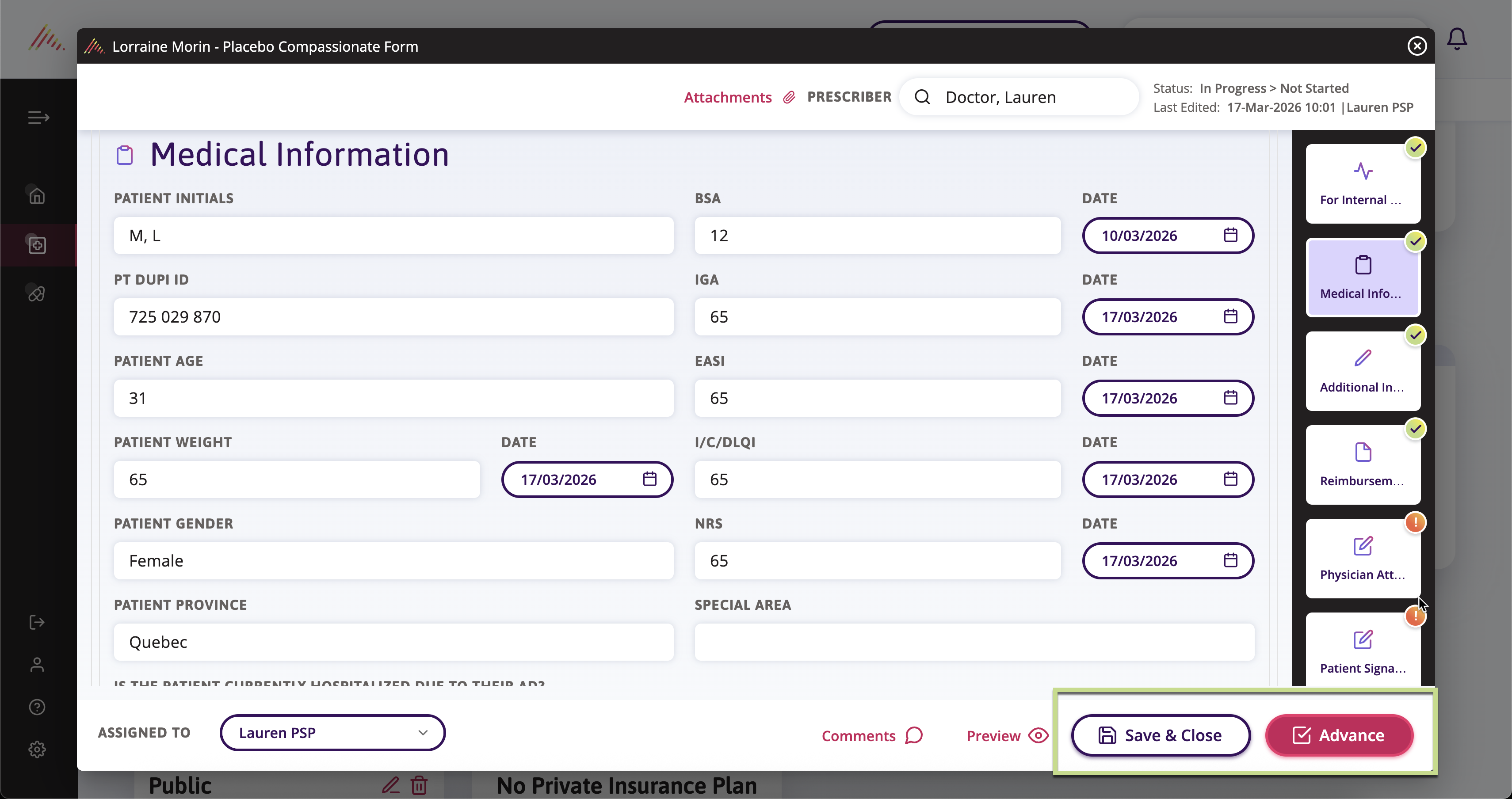
We've redesigned the action buttons on Additional Forms to eliminate confusion and prevent users from accidentally advancing forms before they're ready.
Previously, button labels changed based on the stage each form was in, and users had to rely on button color (white vs. pink) to understand the action. This created challenges during onboarding and led to frequent errors - particularly when users would unintentionally advance forms while trying to save progress after addressing missing information.
With this update, button labels now clearly indicate the action being taken:
- Save & Close or Update buttons let users know they're preserving their work without advancing the form.
- Advance or Complete buttons clearly communicate when a form will move to the next stage or be finalized.
This change creates a more predictable, intuitive workflow that reduces rework and frustration across teams. Users no longer need to memorize color-coded behaviour, the button text tells them exactly what will happen when they click.
🌟 Improvements
Drug Filter for Additional Forms
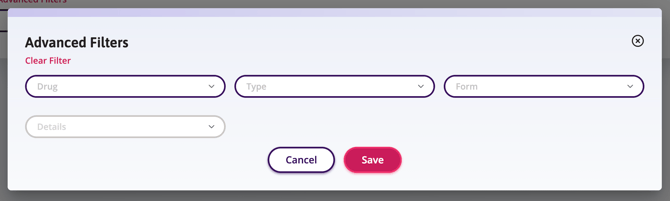
Users can now filter Additional Forms by drug on both the Status Table and Review tab, making it easier to view all forms associated with a specific medication.
This new Drug filter allows users to see all Additional Forms related to a selected medication, regardless of type or form name. This is particularly helpful when managing multiple types of forms for the same drug.
To keep the primary filter set streamlined, the Drug filter is available under Advanced Filters alongside the existing Details filter.
Improved Activity Tracking for Insurance Coverage Updates
We've enhanced Activity tracking to ensure updates to key Insurance coverage fields are accurately reflected in the Activity log.
Previously, certain changes to Public and Private Insurance fields were not appearing in the Changed Fields list, even when edits were made. Activity entries now correctly display updates to Notes for both Public and Private Insurance, as well as Percentage of Drug Covered, Annual Maximum, and Lifetime Maximum for Private Insurance.
🛠 Fixes
Details Dropdown Interaction on Custom Forms
An issue was identified where some dropdown fields required users to click in a very specific area to expand the field after initial selection. This has been corrected so that dropdowns can now be expanded by clicking anywhere within the field, providing a more intuitive and user-friendly experience.
Custom Form Assignment Notifications Now Display Correct Form Title
We've fixed an issue where users who are part of a user group received email notifications with "CustomForm#" displayed instead of the actual form title when an Additional Form was assigned to them. Email notifications now correctly display the proper form title, ensuring users can immediately identify which form has been assigned to them.
Notification Bell Now Shows Only Relevant Facility Notifications
We've fixed a bug where some users were seeing facility-specific notifications that were not relevant to their role.
Federal Insurance Plans Now Display Under Correct Heading
An issue was identified where federal insurance plans were not displaying under the Federal Plans heading in the Public Insurance list. This has now been corrected—federal insurers now appear in the proper category, making it easier to find and select the appropriate coverage.
Additional Forms Filters Now Apply Reliably
Previously, selecting filters quickly on Additional Forms sometimes failed to register, requiring users to slow down or reselect their choices. This has been resolved - filters now apply correctly regardless of selection speed, ensuring a smoother and more efficient workflow.
👽 API
Plan Payer ID Support for Insurance Events
We've enhanced our insurance API events to support Plan Payer IDs, enabling more reliable and consistent identification of public insurance plans for integrated partners.
