
Search for Patients by additional criteria
The Patient Search feature has been enhanced to allow users to search for patients using multiple identifiers, making it easier to quickly find the correct patient record.
Users can now search by:
-
First Name
-
Last Name
-
Health Card Number (HCN)
-
Patient Program ID
-
Date of Birth (YYYY/MM/DD)
-
Phone Number (10 digits, no dashes)
-
Email Address
Patient search results show the patient’s name, Health Card Number, date of birth, gender, and facility (if applicable). If the matched identifier is not one of these fields, it is displayed beneath the patient’s information. Results are prioritized by the best matches, with the matched identifier highlighted in bold.
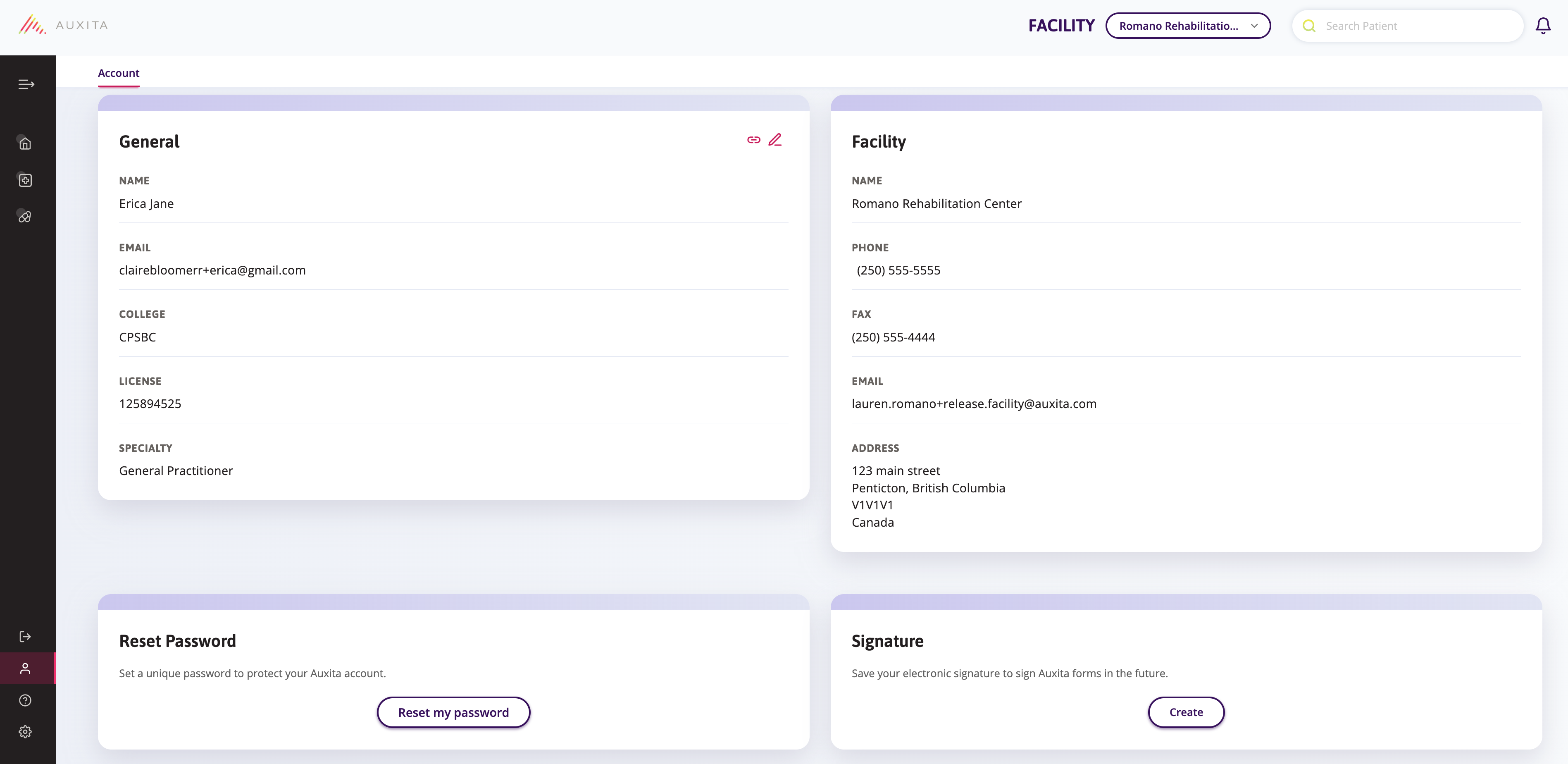
Improved Account Page Layout for a More Compact, Responsive Experience
We’ve updated the Account page to make better use of screen space and provide a cleaner, more compact layout across all device sizes. These improvements are design-focused only, and there are no changes to the functionality of the page.
These enhancements create a cleaner, more intuitive experience, making it easier to view and update your account information across all devices.
Improved Notification Status Tracking (dPA Forms)
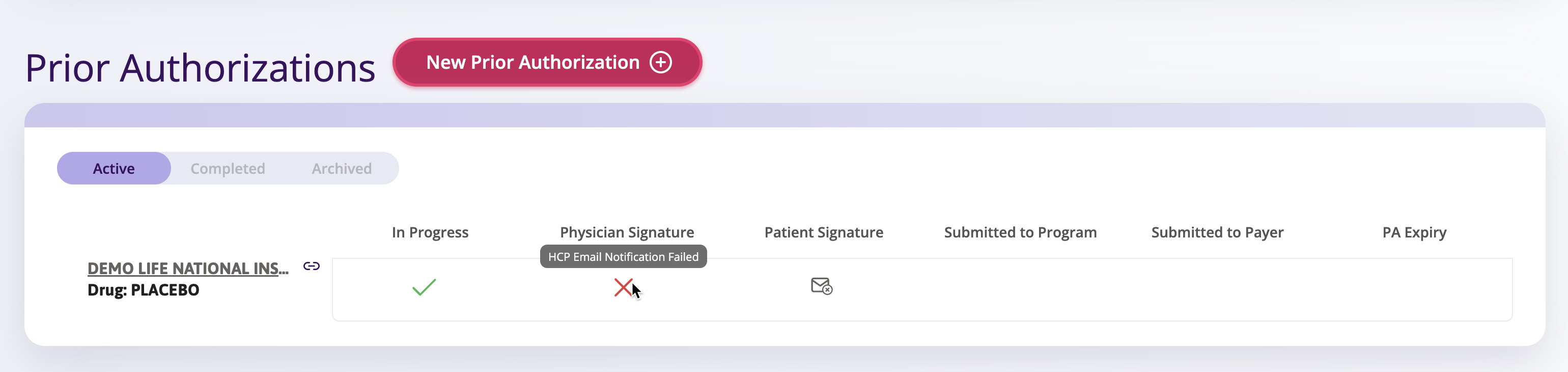
We've made it easier to see when a notification to an HCP doesn't successfully go through for dPA Forms. If a fax or email fails to reach its destination, you'll now see:
-
a red X icon
-
The status: HCP Fax/Email Notification Failed
This status will appear on the Prior Authorizations tile in the Patient Profile and on the Status Table.
If the status remains as 'Awaiting Physician Signature' it means the fax or email was successfully sent from Auxita.
Need to resend?
If a notification fails, simply open the form and send a new notification by email or fax.
Improved Activity Tracking for One-Time Use Code Notification on dPA Forms
We've expanded our Activity Table tracking on a patient's profile to give you better visibility into One-Time Use Code (OTU) notification sent for digital Prior Authorization forms for prescribers that are not Auxita users.
Whenever an OTU notification is sent by email or fax, you will now see a clear entry in the Activity Table. This improvement ensures you have full visibility and confidence that non-Auxita prescribers have been notified and that signature requests have been attempted.
Insurance Details Enhancements
Auxita now allows non-patient users to record additional insurance plan information for patients.
Private insurance records now include fields for Percentage of Drug Covered, Annual Maximum, and Lifetime Maximum, and a new Notes section has been added to both private and public insurance cards to capture important coverage details. All new fields are optional.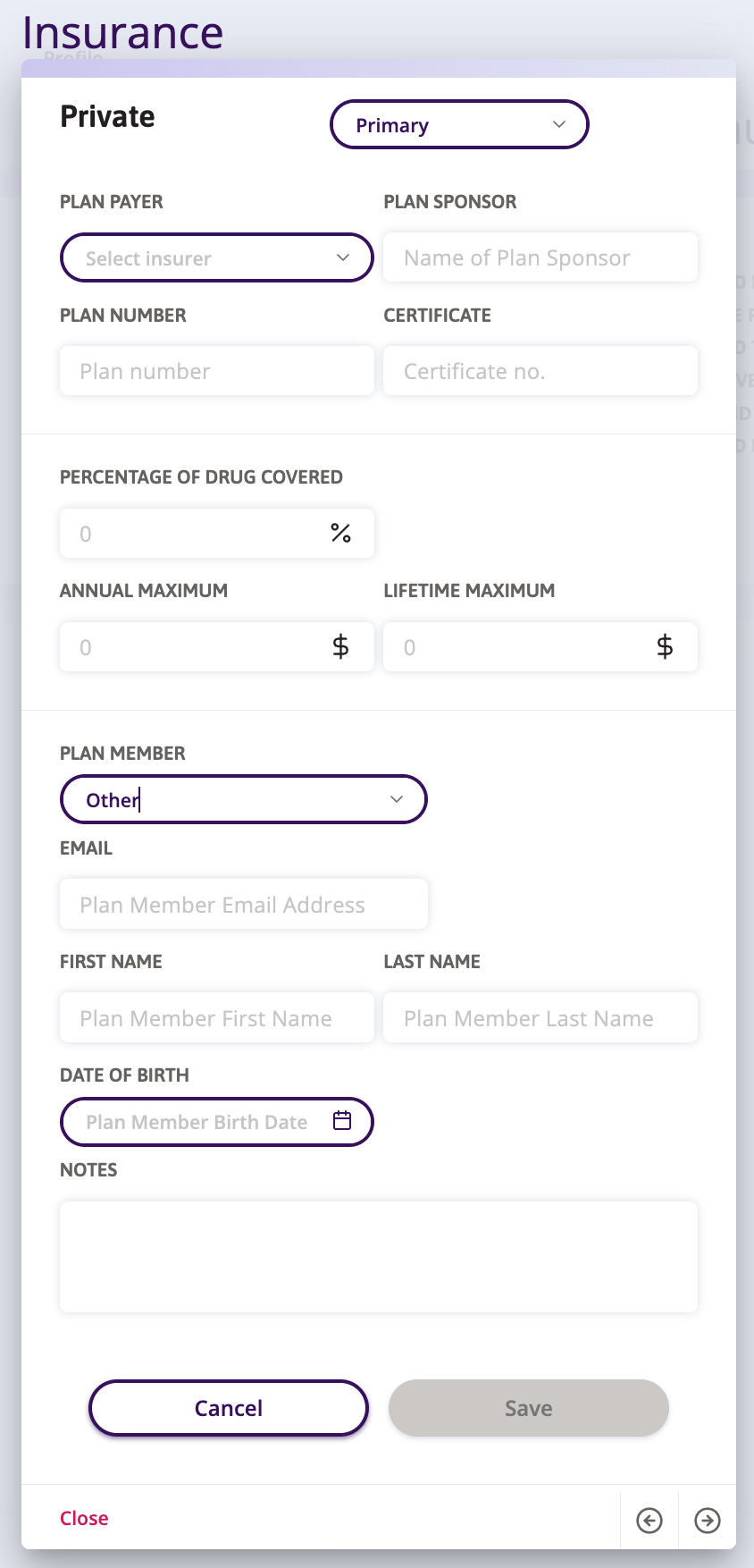
🌟 Improvements
Patient Email Validation Update
Previously, invalid email addresses from Form submissions could be saved to the demographics in a patient’s profile, which, in some cases caused errors. While the platform already validated email addresses added directly to patient demographics, email addresses submitted through forms were not covered.
This issue has now been fixed. The platform now validates emails from forms before saving them to patient profiles. Invalid email addresses submitted via forms are ignored and will not be saved in the demographics.
With this update, only properly formatted, valid email addresses are saved to patient profiles, ensuring reliable communication and eliminating the errors previously caused by invalid entries.
Update Document Details (File Name & Document Type)
We've introduced a new enhancement that gives users more control and accuracy when managing documents uploaded to a patient's profile. Users with permissions to view a document can now update the Document Type and File Name directly from the Documents Table.
This allows users to correct misclassified documents and rename files to be more descriptive or consistent.
Additional Plan Member Relationship Types
We have expanded the Plan Member dropdown for Private Insurance Plans to support more accurate relationship tracking.
The following new relationship options are now available for Plan Members: users can now select Child and Other as valid relationship types.
🛠 Fixes
Issue Resolved when clicking on non-Auxita Enrolment from the Status Table
An issue was found when users clicked on a non-Auxita Enrolment from the Status Table. Previously, this produced no visible response for users and generated errors in the system logs. This has been fixed. Users will now see the usual message indicating the Enrolment was completed outside of Auxita.
Additional Forms: Statuses Now Update Correctly
Previously, when an Additional Form was updated from the Review tab, the Last Edited timestamp refreshed, but the displayed Status did not. This has been fixed. Statuses now update consistently across the Review tab, the form, and the patient profile.
French Button Labels: Improved Fit and Readability
We've updated the button labels when viewing dPA Forms in French to ensure they display correctly. Labels have been shortened and the font size slightly reduced to prevent text wrapping and overlapping the button borders, improving overall readability.
Withdrawn Additional Forms No Longer Duplicated in Activity Table or Statistics
We identified an issue where withdrawn Additional Forms were sometimes logged twice in the Activity Table. This duplicate entry also caused the form to be counted twice in related program statistics, leading to inaccurate reporting for some programs.
This has now been fixed, withdrawn forms will appear once in the Activity Table and will be counted once in all statistics.
Status Table Now Refreshes Correctly for Additional Forms
Inconsistent behaviour was found on the Status Table for users. Updating the status of an Additional Form and saving did not refresh the Status Table, leaving the previous state visible. This has now been fixed - the Status Table will correctly refresh and display the updated milestone for Additional Forms immediately after changes are saved
Duplicate Activity Log Entry for dPA Forms
We’ve fixed an issue where the “In Progress” action for dPA forms was being logged twice in the Activity table. This action now appears only once as intended.
PSP Users Can Now Manage Attachments When dPA Is Submitted to Program
Patient Support Programs that use Edit Form on dPA Forms can now update the Document Attachments while the form is in the Submitted to Program state.
Previously, attachments were locked at this stage. PSP users can now add new documents or remove existing ones as needed before submitting the dPA to the payer, ensuring all required documentation is complete and up to date.
Prior Authorization Tabs now Disabled when empty
Auxita has updated the Prior Authorizations section within a Patient’s Program Overview to improve clarity and navigation. Previously, the Completed and Archived tabs appeared active even when there were no dPA forms in those states. These tabs will now be disabled when empty, ensuring users can quickly understand when no completed or archived dPA forms exist for a patient.
👽 API
New API Event Type
document-updated
This event is triggered whenever a document’s file name or document type is modified within the platform.
-
The event uses the same
subjectIDas the originaluploaded-documentevent. -
The payload will include updated properties for either or both of the following:
Updated Document Type
"property": {
  "dataType": "string",
  "label": "document-type",
  "value": "Intake Form"
}
Updated File Name (filespec)
"property": {
  "dataType": "string",
  "label": "filespec",
  "value": "updated_filename.pdf"
}
Partners should use this event to detect and process changes to document metadata after the original upload.
API Updates for Insurance
Updates have been made to the "subjectType": "insurances"
The following options have been added to the privatePlanHolder:
"privatePlanHolder": "Other","privatePlanHolder": "Child",
